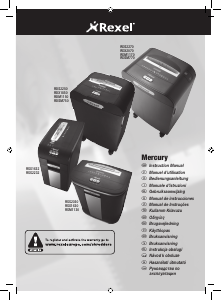
Bruksanvisning Rexel Mercury RSS2230 Makuleringsmaskin

Trenger du en bruksanvisning for Rexel Mercury RSS2230 Makuleringsmaskin? Nedenfor kan du se og laste ned PDF-bruksanvisningen gratis på norsk. Dette produktet har for øyeblikket 2 vanlige spørsmål, 0 kommentarer og har 0 stemmer. Hvis dette ikke er bruksanvisningen du ønsker, vennligst kontakt oss.

Er ditt produkt defekt og finner du ikke løsningen i bruksanvisningen? Dra til en Repair Café for gratis hjelp til reparasjon.

Bruksanvisning

Loading…

5
G
Operation
1
Connect shredder to mains supply
2
Press the central power on button (d). This will switch the power on
and all the LED warning symbols on the indicator panel (a) will flash in
sequence. The shredder will now be in standby mode and the “Power-
on” symbol on the indicator panel will be illuminated amber.
3
To commence shredding, press the right hand auto feed button (e) this
will illuminate the feed area green and illuminate the symbol green.
This sets the shredder into auto mode and initiates the Mercury anti jam
mechanism. You are now able to shred.
4
Insert paper to be shredded into the feed area. The Mercury anti jam
mechanism will sense the thickness of the paper being shredded.
If the paper thickness is within the shredders capacity the motor will
start and your documents will be shredded. Cutters will stop once the
shredding process is complete.
If the paper thickness is greater than the shredders sheet capacity the
area around the feed slot will turn from green to red and the motor will
not run. In this situation the Mercury Icon on the indicator panel will
flash red, the green will go off, instead the will be illuminated
red.
5
If this happens, remove some of the sheets from the paper stack and
re-try until the feed area reverts back to green, the shredder will then
automatically start and allow the paper to be shredded.
If the shredder is left in auto mode for more than 10 minutes without
being used, the shredder will automatically turn back to standby mode
in order to save power.
Reverse Function
1
Should you wish to reverse the shredding direction whilst shredding a
document, a reverse button (f) has been fitted for your convenience.
2
By pressing the reverse button the shredding cutters will change
direction allowing the retrieval of the document being shredded. The
feed area will turn to red.
3
The reverse function will only run whilst the button is being pressed.
When the reverse button has been released the shredder will revert to
stand by mode.
4
To turn back to auto mode simply press the right hand auto feed button
again.
CD and Credit Card Shredding
The Mercury models can also shred CDs and credit cards.
1
Pull up the orange CD guide (g) located in the centre of the feed area
and flip it into position over the shredder mouth.
2
For credit card shredding, switch the shredder to auto mode and insert
the card into the centre slot.
3
For CD shredding, extend the sides of the orange CD guide, switch the
shredder to auto mode and place the CD into the centre of the CD slot.
Only 1 CD can be shred at a time.
Rare Occasions of Jamming
In the unlikely event of the shredder jamming, use the reverse function to
unblock the shredder. (see Reverse function section)
Alternating between the reverse function and the forward run (Hold Auto
start for 2 seconds) will help unblock the feed area.
Once the jam is clear, press the right hand auto button once to revert back
to auto mode. You can now resume shredding as normal.
Bin Full
When the bin is full the shredder will not function and the bin full symbol
will illuminate and flash red, the green will switch off and the will
illuminate red.
When this happens you must empty the bin.
• Pull open the drawer to empty. (RSX1530, RSS1830, RSS2230 )
Open the door to locate the bin (RDS2050, RDX1750, RDS2270
RDX1970)
Once the bin is empty, close the door/drawer and press the auto button to
resume shredding.
Door Open Safety Function
If the door is opened during shredding as a safety precaution the shredder
will instantly stop, and the door open symbol on the indicator panel will flash
red. The green will go off and the red flash will illuminate. To resume
shredding, shut the door and press the auto button.
Over Heating
If the shredder is used continuously for long periods of time the shredder
may overheat. If this occurs the egg timer symbol on the indicator panel will
flash amber, the green will go off and you will see the red .
When the shredder is ready to be used again the egg timer symbol will stop
flashing and the green will show once again. To resume shredding press
the auto button.
Shredder Waste Sacks
Rexel shredder waste sacks AS1000 (Code 40070) should be used with
models RDS2050, RDX1750, RDS2270, RDX1970. We recommend that no
waste sacks are to be used for the models RSX1530, RSS1830, RSS2230.
Last ned bruksanvisning på norsk (PDF, 3.81 MB)
(Tenk på miljøet og bare skriv ut denne bruksanvisningen hvis det virkelig er nødvendig)

Loading…

Vurdering

La oss få vite hva du syns om Rexel Mercury RSS2230 Makuleringsmaskin ved å gi en produktbedømmelse. Vil du dele dine erfaringer med dette produktet eller stille et spørsmål? Legg igjen en kommentar nederst på siden.
Er du fornøyd med Rexel Mercury RSS2230 Makuleringsmaskin?
Ja Nei
Vær den første til å bedømme dette produktet
0 stemmer

Bli med i samtalen om dette produktet

Her kan du dele hva du synes om Rexel Mercury RSS2230 Makuleringsmaskin. Hvis du har et spørsmål, les først bruksanvisningen nøye. Be om en bruksanvisning kan gjøres ved å bruke vårt kontaktskjema.

Mer om denne håndboken

Vi forstår at det er fint å ha en papirhåndbok for Rexel Mercury RSS2230 Makuleringsmaskin. Du kan alltid laste ned bruksanvisningen fra nettsiden vår og skrive den ut selv. Hvis du vil ha en original bruksanvisning, anbefaler vi at du kontakter Rexel. De kan kanskje gi en original bruksanvisning. Leter du etter bruksanvisningen til Rexel Mercury RSS2230 Makuleringsmaskin på et annet språk? Velg ditt foretrukne språk på hjemmesiden vår og søk etter modellnummeret for å se om vi har det tilgjengelig.

Spesifikasjoner

Merke Rexel
Modell Mercury RSS2230
Kategori Makuleringsmaskiner
Filtype PDF
Filstørrelse 3.81 MB

Alle bruksanvisninger for Rexel Makuleringsmaskiner
Flere håndbøker for Makuleringsmaskiner

Ofte stilte spørsmål om Rexel Mercury RSS2230 Makuleringsmaskin

Vårt supportteam søker etter nyttig produktinformasjon samt svar på ofte stilte spørsmål. Hvis du finner en feil i våre ofte stilte spørsmål, vennligst gi oss beskjed ved å benytte vårt kontaktskjema.

Hvorfor stopper papirmaskinen min etter en viss periode? Verifisert

Papirkverner må avkjøles etter en stund for å forhindre overoppheting. Tiden enheten kan fungere før den trenger å kjøle seg, varierer mellom forskjellige merker og modeller.

Det var nyttig (909) Les mer

Hvor ofte skal jeg smøre papirmaskinen min? Verifisert

Ved sporadisk bruk er det tilstrekkelig å olje papirstimleren annenhver måned. Ved (veldig) vanlig bruk kan du legge merke til at maskinen har vanskeligheter med makulering eller at papir lett setter seg fast. Dette er tegn på at maskinen skal smøres.

Det var nyttig (567) Les mer
Bruksanvisning Rexel Mercury RSS2230 Makuleringsmaskin

Relaterte produkter

Relaterte kategorier

×
Download